
 Irrigation
 Evap. Cooler Parts
 Valve Combos
 WIFI Controller Combos
 Fittings
Cooler Parts Guides
Replacing a MagIQtouch Controller: What to Check Before You Buy
Nov
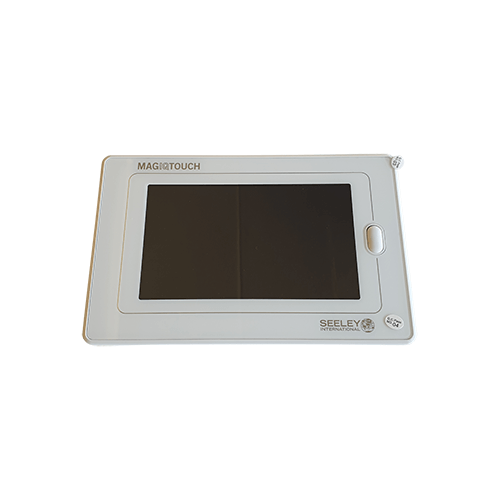
MagIQtouch is the touchscreen wall controller used on many Seeley International coolers, including Breezair and Braemar. When the screen fails, cracks or stops responding, a replacement controller is often the fix. But the controller is only one part of the system, so it pays to check a few things before you buy.
Safety first: coolers are usually on the roof and run on 240V. Use a safe ladder and roof access, and never work on the cooler with the power on. Any hard-wired electrical work must be done by a licensed electrician or cooler technician.
1. Confirm your cooler uses MagIQtouch
MagIQtouch controllers only work with a MagIQtouch-compatible control box in the cooler. Older Breezair and Braemar coolers use CPMD 4-pin or Horizon controllers, which are not interchangeable with MagIQtouch. Check the model of your current controller and the cooler label. See how to find your cooler model and part numbers.
2. Check it’s the controller and not the loom
A blank screen can be caused by a damaged loom (the cable between the controller and the cooler) or a fault in the control box, not just the controller. Signs it may be the loom include the screen flickering or losing power intermittently, or damage where the cable runs through the roof space. A replacement 20m MagIQtouch loom (094694) is available.
3. The replacement controller
The MagIQtouch touchscreen controller (094298) replaces the wall unit. Braemar also has a MagIQtouch controller RF kit. If you’re unsure which suits your system, send us your cooler model and the details on the back of your old controller.
4. Control boxes and external sensors
If the control box in the cooler has failed, a new controller won’t fix it. Compatible parts include the MagIQtouch control box external sensor and Braemar MagIQ control box EXT sensor. A cooler technician can test the control box if you’re not sure.
5. WiFi control
To run the cooler from your phone, a MagIQtouch WiFi kit or the Braemar MagIQtouch WiFi kit adds WiFi to a compatible system.
Fitting the new controller
Turn off power to the cooler at the isolator, remove the old controller from its wall plate, unplug the loom, plug in the new controller and refit it. Restore power and follow the setup steps in the controller’s instructions. If the controller is hard-wired, or the loom needs replacing through the ceiling, use a licensed electrician or cooler technician.
Shop controllers
Browse Breezair wall controllers and looms and all cooler controllers, or ask us to confirm the right controller for your cooler.
This guide is general information only. Always follow your cooler manufacturer’s instructions, and use a licensed electrician for any electrical work.
